 4.8 out of 5 stars! See what our customers are saying on
  Trustpilot























01 Feb

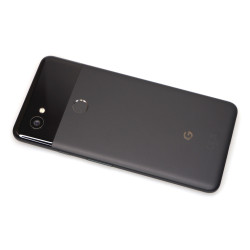
If you haven't seen it done before, transferring a SIM card from one phone to another can be a bit intimidating. SIM stands for Subscriber Identity Module and it links your phone number to your phone. It also identifies you, the subscriber, to your carrier network.
SIM Sizes
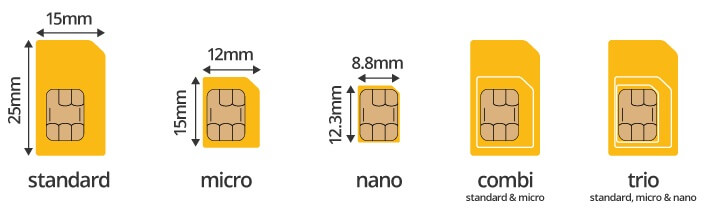
SIM cards come in three basic sizes: Standard or "Mini", Micro, and Nano. Modern smartphones use the nano-sized SIM.
SIM Card Ejection Tool
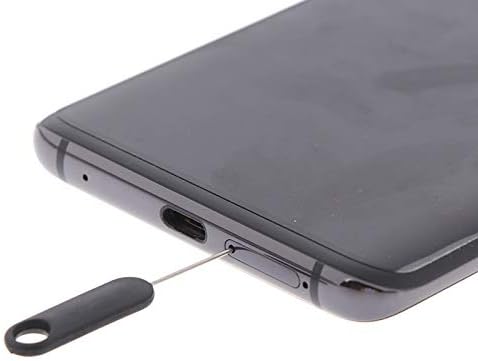
To transfer a SIM card from one phone to another, the only tool required is an "ejection" tool or "pin". If you don't have one, a small paperclip will work.
Step-by-Step Instructions
- Power off the device before removing/installing the SIM card
- Search around the sides, bottom, and top for a small pin hole next to or part of a thin cover that houses the SIM card tray
- Press the tip of the ejection tool or paperclip into the small pin hole until the SIM card tray is ejected
- Using a fingernail, pull out the tray
- Remove the existing SIM card, taking note of the keyed corner. This will help you orient the SIM card into the tray; the card only goes in one direction
- On your new phone, perform the same steps, ejecting the SIM card tray.
- Place the SIM card into the new phone's tray; slide it back into the phone and press until it is flush with the side of the phone
- Power on the new phone and check for a cellular signal
If you have any questions about transferring your SIM card, feel free to contact us.