 4.8 out of 5 stars! See what our customers are saying on
  Trustpilot














Introduction
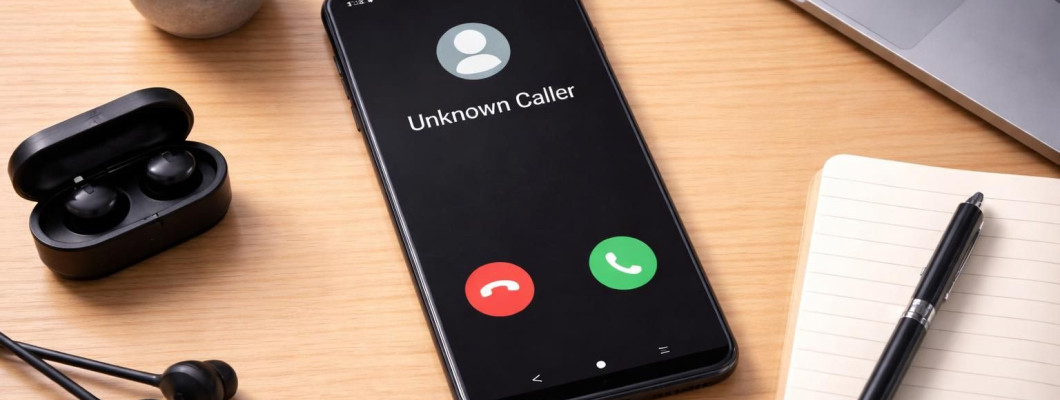
Unsolicited and unwanted phone calls and texts are on the rise. Whether from telemarketers, political groups, debt collectors, or outright criminal scammers, they are annoying and disruptive. AI-enabled synthesized voice calls are being deployed by all of the above as well, which make the situation more confusing.
So how does one protect themselves from the spammers and scammers? From a privacy perspective, the answer is not to sign up with the most popular robo-blocker service. Most of these third-party apps will collect and sell your data. For those of us with deGoogled phones, the solution may be more nuanced and require a disciplined approach.
Built-In Android Protection
The first line of defense and our highest recommended solution is to take advantage of the built-in features of a deGoogled Android phone.
- Block numbers manually as you receive them. Long-press a call or message in your history, then tap Block number. If calls and texts are from the same group of numbers, then blocking the number on your phone could help. Keep in mind if you ever change phones or perform a factory reset, the list of blocked numbers will disappear.
- Block calls from unidentified callers. Go to Phone app → tap Menu (three dots) → Settings →Blocked numbers. Tap button next to Unknown (Block calls from unidentified callers). This sends calls from numbers not in your contacts to voicemail.
National Do Not Call Registry
For U.S. residents, the Federal Trade Commission created the National Do Not Call Registry. Register your home or mobile phone number for free at https://donotcall.gov/. Signing up may reduce telemarketing calls from real business for 31 days. However other organizations such as charities, political groups, debt collectors and surveys may still call. As well, it obviously does not stop scammers from calling.
Third-party Spam Blocking App
Third-party spam blocking apps like Hiya, nomorobo, Robokiller, and Truecaller are gaining popularity. Some are free with paid premium tiers, but most require a monthly subscription. Finding a truly privacy-respecting spam blocker is challenging because most popular apps require some form of data collection to function effectively. Always review privacy policies before signing up and understand what you're getting into. They will have access to your call and text records going forward. As a privacy advocate, we generally do not recommend these services unless all other options have been exhausted.
Most spam-blocking apps work by:
- Comparing incoming calls/texts against a database of known spam numbers — this requires uploading caller information to their servers
- Building community blacklists — they need to share reports from users to help others
- Machine learning models — training AI to detect spam patterns typically requires analyzing call metadata
These processes inherently involve some data collection, even if companies claim to anonymize or encrypt it. No mainstream spam-blocking app can guarantee zero data collection while remaining effective. There's a fundamental tension: the best spam detection requires comparing numbers against databases, which necessitates some server-side processing.
Choosing a Privacy-Respecting Spam-Blocking App
If you do decide to try a spam-blocking app, take a serious look at nomorobo. Instead of selling your personal data, they charge a reasonable monthly fee for service. We compared privacy policies from nomorobo and TrueCaller.
| Privacy Factor | Nomorobo | Truecaller |
| Contact Access | Does NOT access your contacts or call logs | Collects contact information (names, numbers, email addresses from your address book if you enable Enhanced Search Functionality) |
| Personal Information Required | Minimal; only phone number needed for verification | Requires first name, last name, and phone number; optional: street address, zip code, gender, photo, email, social media links |
| Third-Party Data Supplements | Uses public data minimally for reputation lookup | Actively supplements user data with third-party information including demographic and contact information from publicly available sources |
| Data Sharing | Explicitly states: "Does NOT sell client data" and "Does NOT use client data for advertising purposes" | Shares data with third-party clients, agencies, and networks for "analytical and marketing purposes, targeted ads, and fraud detection" |
| International Data Transfer | All data stored and processed within the United States only; requires written consent to transfer outside US | Transfers data internationally to multiple countries including India; no explicit consent required beyond general terms |
| Data Retention | API query data retained only 30 days then purged; other identifiable usage data kept 12 months max | Policy does not specify clear retention limits; data kept longer for various purposes |
| Advertising | No advertising-related data collection | Uses data for location and interest-based advertising; serves targeted ads and marketing messages |
| Access to Calls/Messages | Does not collect call logs or message content | Collects voice recordings, call transcripts, and records of verified business calls |
Nomorobo's Privacy Advantages
The results show nomorobo offers significantly higher privacy protection based on several specific policy points.
- No contact access: The app's description explicitly states: "Privacy friendly - Never accesses your contacts or call logs." This is a major distinction—you don't have to grant permission to scan your phone's data.
- Minimal data collection: Nomorobo only collects what's necessary to identify spam. It doesn't require demographic information like address, gender, or photo.
- No third-party sharing for marketing: The business privacy policy explicitly states: "We do NOT sell Client data or personal information. We do NOT use Client data for advertising purposes."
- U.S.-only data storage: "All data is stored and processed within the United States. We do not transfer Client data outside the United States without prior written consent." Truecaller transfers data internationally to India and other countries.
- Short data retention: API query data is purged after 30 days, and identifiable usage data is kept for a maximum of 12 months.
Spam Blocking Service from Mobile Carriers
The three big network operators in the United States also offer their own form of proprietary spam blocking service. Verizon’s Call Filter blocks robocalls and spam messages. T-Mobile offers Scam Shield to detect, block, and mislead spam and scam callers. It also includes a caller ID feature for numbers not already in your contact list. AT&T's ActiveArmor blocks texts that are deemed to be sent from email addresses, a significant source of spam. However, because of the nature of these services collecting voice call and text metadata, we do not recommend using them.
Change Phone Numbers
The most effective solution is to change phone numbers. If spam calls and texts are out of control and you do not want to sign up for a third-party spam blocking service, wipe the slate clean and start over.
Contact your mobile carrier and request a new number. We recommend requesting a new physical SIM in the mail. Once you have notified friends and family, switch the SIM cards and deactivate the old phone number. Going forward, be very selective when sharing your new number.
When signing up for new services or accounts online, it is a good idea to have a burner number. This can be accomplished by maintaining a secondary phone and using an inexpensive phone plan:
- VoIP phone number from services like JMP.chat, Brax Virtual Phone, or Hushed
- Contact your mobile carrier for an inexpensive plan with voice call minutes and texting, no data
- Use your old phone number as a burner number
Our Honest Assessment
If privacy is your top priority...
- Use Android's built-in spam detection (most private) — Manually blocking numbers as they contact you
- Disable notifications for unknown callers — Reduce the distraction even if calls still come through
- Register on donotcall.gov (no data trade-off)
- Avoid sharing your number publicly — Be cautious about posting it on websites or social media
- Do not reply to spam texts — This confirms your number is active and may increase spam
- Be skeptical of requests for verification codes — Never share 2FA codes, even if someone claims to be from your bank