 4.8 out of 5 stars! See what our customers are saying on
  Trustpilot
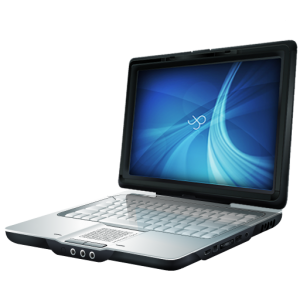

















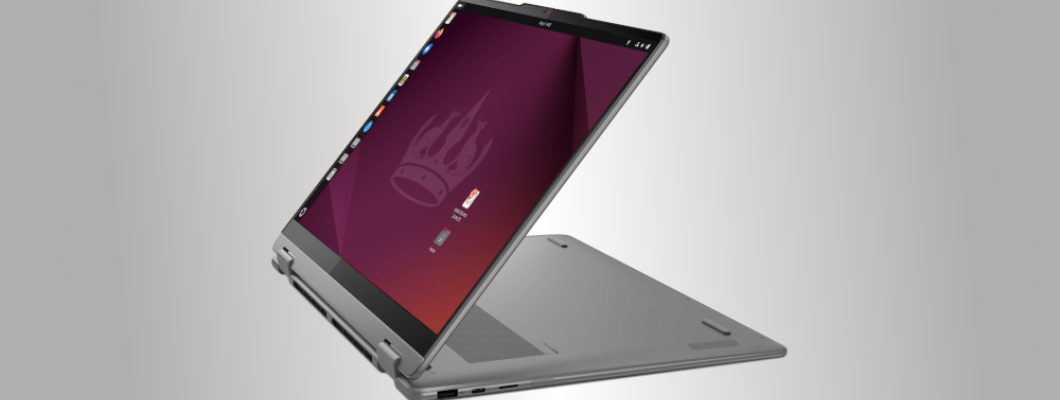
The Lenovo Yoga 7 (2-in-1) with Ubuntu OS installed is an efficient and beautiful computer I use every day. It is preferable, even over a Windows laptop that is more familiar. This computer has a number of features my previous laptops could never have beat.
Specifications
| Class | Convertible 2-in-1 |
| Processor | AMD Ryzen™ AI 5 340 (2.00 - 4.80 GHz) |
| Memory | 16 GB LPDDR5X 7500MT/s |
| Display Panel | 14" WUXGA OLED, Glare, Touch, 1920 x 1200 resolution |
| Storage | 1 TB SSD M.2 2242 PCIe Gen4 TLC |
| Graphics Controller | Integrated AMD Radeon™ 840M |
Hardware-Related
The Lenovo Yoga is a laptop which can bend fully backwards into a tablet; presumably its bendy nature is why they call it the Yoga.
Tip: If you bend the device around, then go back to laptop mode, the screen might stay inverted. To right it, shut the screen almost all the way, then raise it again. Or simply close & reopen the laptop.
- Lightweight – the lightest laptop I have owned. In tablet mode, it seems heavier because it is actually a laptop your brain thinks is a tablet. You can choose your angle – flat or propped up like a tent, where the screen functions at whatever orientation you turn it.
- Brilliant Colors, refined graphics – Its hardware and software are sharp & easy to look at, thanks to the AMD Radeon 840M.
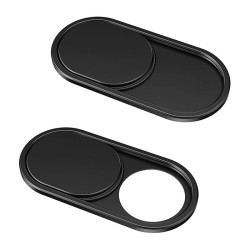
- Slideable Privacy Shield over the camera.
- Built-in Speakers are louder than my prior laptops’ speakers, when I turn the volume to maximum.
- No TrackPoint – If you are not a fan of the red ‘eraser button’ controller that has been popular on the Thinkpad’s keyboard for decades, this has no such button.
- Quiet keys.
- Elegant yet sturdy laptop.
- The physical frame around the screen is minimized, so you are looking at screen, not screen & frame.
- Touch Screen – Works fine with most programs. In Libre Office, easily scroll using the keyboard’s touch pad or a mouse, rather than using the screen. In Ubuntu, trying to scroll using the touchscreen results in highlighting text.
- Side Charger via USB-C Port – There is one port on each side of the keyboard next to the other peripheral ports, so you can plug the charger in on either side, and use the empty port for other USB-C connections.
- Fast Charge – The Lenovo Yoga 7’s power cord not only fills the battery quickly, it can also be used to charge other USB-C devices that can handle the power. Each of our devices has a minimum and maximum power limit. I regularly use it to charge a tablet.
- Power Button – It is on the side, but do not worry about accidentally shutting down the laptop if you press it. A screen will pop up stating the device will power off in 60 seconds. Hit ‘Cancel’.
- Single USB-A Port – There is only one USB-A (the original USB port we have all used). This is to make room for a variety of other ports, so I recommend getting a Hub with multiple USB-A ports if you need them.
- Stays Cool – This Lenovo Yoga 7 has not been hot at all, and is comfortable on bare legs. The device is not heavy to pick up and set aside. Also, if you stay off websites that heat up your device through data collection, then your processor won’t have to work as hard, and will stay cooler.
- Energy Management – The device manages energy well. To test it, I started with 100% charge, unplugged it, and set a stopwatch. The computer battery lasted over 7 Hours and still had a 15% charge. The laptop was awake the whole time, with the keyboard backlit – as I perused websites, walked away, watched videos, and typed documents. Obviously battery life will depend on the health of your battery & your energy draw – power settings, the websites you visit, etc.
- Storage Capacity – This computer’s built-in storage capacity of 1TB is a better-than-standard size, especially for those who refuse to use the Cloud.
- Keyboard Backlight – The Lenovo Yoga 7’s keyboard backlight stays on until my computer goes to sleep. Can be left ‘Off’ or adjusted to ‘Low’ or ‘High’ via the ‘Fn + Spacebar’ keys, or from the Ubuntu screen’s right corner drop down menu.
Keyboard Backlighting
The backlit keyboard works on this Ubuntu-installed computer. No guarantee, but there is a good chance the backlight will work with other Linux distributions offered here as well. The only way to know before ordering is to search the internet for reviews/ comments on the distribution + computer. However, with numerous Linux distributions & an innumerable amount of laptops, it may not be possible to find reviews on how a specific make and model work with a particular OS.
Improved Hardware Compatibility
Companies realize Linux is here to stay, so more of them are building in support. The Linux kernel is actively being developed to support new equipment. What does the Linux kernel do? It acts as the interface between the computer's hardware and software, managing system resources and processes. Ubuntu balances cutting-edge hardware compatibility with system stability. This creates an ideal user experience.
"AI" in the Processor Name
I have always been anti-artificial intelligence. I ordered this laptop based on its storage capacity, privacy OS, and its sleek design; then I realized it had an A.I. processor (the Ryzen AI 5). Mat followed up to see how the equipment was working. I expressed my concern, and he assured me the A.I. processor was more of a marketing tool. When Linux is the only OS on a laptop, or when a phone is degoogled, the software is changed to serve the user, not the data collection companies.
Still we need to make sure A.I. hardware or software has no power over us. Computer experts like Mat can better distinguish between safe and unsafe A.I. components. If you already have a compatible computer you love but want to remove Windows OS from it, he also offers a Linux Installation Service.
Software-Related
Tip: To see various Linux distributions available for installation, links to the OS websites can be found on the Linux Installation Service page. Inexpensive bootable flash drives to test these popular systems can be found on the Linux USB Drives page.
- LibreOffice is user-friendly if you are used to MS Office. It has been my preferred privacy office suite for many years, and it is free to download. It came pre-installed on my Ubuntu computer, but also comes standard on Zorin and Linux Mint.
- ‘System Monitor’ is the ‘Ctrl + Alt + Delete’ of Linux, if you want to see the background processes operating on your computer.
- Searching Apps in Ubuntu – You can find System Monitor and other apps by clicking the Ubuntu logo on the screen, next to the other icons. This will bring up a search bar & all your apps, not only those you locked to the sidebar. Other Operating Systems have their own ways of searching.
- USB-C shaped icon at the edge of your screen will show open apps & pages. Hovering the mouse over each document shows the document’s name.
- Screenshot – ‘Alt + Spacebar’ will pull up a menu where you can select ‘Screenshot’. This takes a screenshot that pops up in its own window.
- ‘Windows Key + D’ brings you back to your desktop if you want to put everything in the background.
Helpful CTRL + Shortcut Key Functions
These time-saving shortcut keys have been available on every computer I have used:
- ‘Ctrl + A' = Select All
- ‘Ctrl + C’ = Copy
- ‘Ctrl + V’ = Paste
- ‘Ctrl + Z’ = Undo
- ‘Ctrl + S = Save
Final Thoughts
You are likely checking out privacy options because you know companies and governments have been collecting details about your private life all these years for more than “advertising purposes”.
Linux developers and countless others have poured their lives into building systems that protect our privacy. Instead of buying more devices which record what you do/ your family does in your own home via video cameras, infrared, voice-activated devices… consider buying tech that is private by default.
Mat and Juliet offer privacy-focused solutions: laptops and services that will allow you to breathe easier. Protect your home, protect your business. I have never been pressured for a sale, yet have ordered repeatedly from them due to their high-quality work & professionalism. They are well-organized. I encourage everyone to reject surveillance whenever you see it, and to reclaim your freedom from those who seek to control us.
Leave a Comment